
Documentation
Sublogue usage and setup
Sublogue is a lightweight, open source tool that enriches subtitle files with metadata and plot summaries. It keeps timing intact, respects safe insertion windows, and lets you choose the metadata provider per scan or per folder.
This page mirrors the README but adds extra context, limits, and setup notes so you can move from install to first scan without guesswork.
Quick checklist
- Install the container and map /config + /media volumes.
- Enable integrations and add API keys where required.
- Scan a folder and review matches before applying.
- Use per-folder rules for language and formatting differences.
Features
Sublogue focuses on safe subtitle enrichment. It never shifts existing timecodes, and only inserts content when there is a safe gap at the start or end of the file.
Metadata injection
Pull plot, runtime, ratings, and credits from OMDb, TMDb, TVmaze, or Wikipedia and insert them in a clean, readable format.
Safe timing
Sublogue refuses to insert if there is not enough gap, so subtitle timing stays intact.
Folder rules
Override metadata source, language, and formatting per directory for mixed media libraries.
Web UI
Scan folders, batch process results, and track history from a lightweight Svelte UI.
Integrations
Each provider has a different signup and usage policy. Wikipedia is strict by design: exact title matches with year validation are required to reduce false matches from an open encyclopedia.
| Provider | Signup or API key | Rate limits | Notes |
|---|---|---|---|
| OMDb | Get an API key | Free tier has a daily cap | Best for movie matching |
| TMDb | Request an API key | Per-second rate limit | Great for localization and posters |
| TVmaze | View API docs | Polite usage limits | No API key required |
| Wikipedia | MediaWiki API | No hard limits, be polite | Strict title matching |
Screenshots
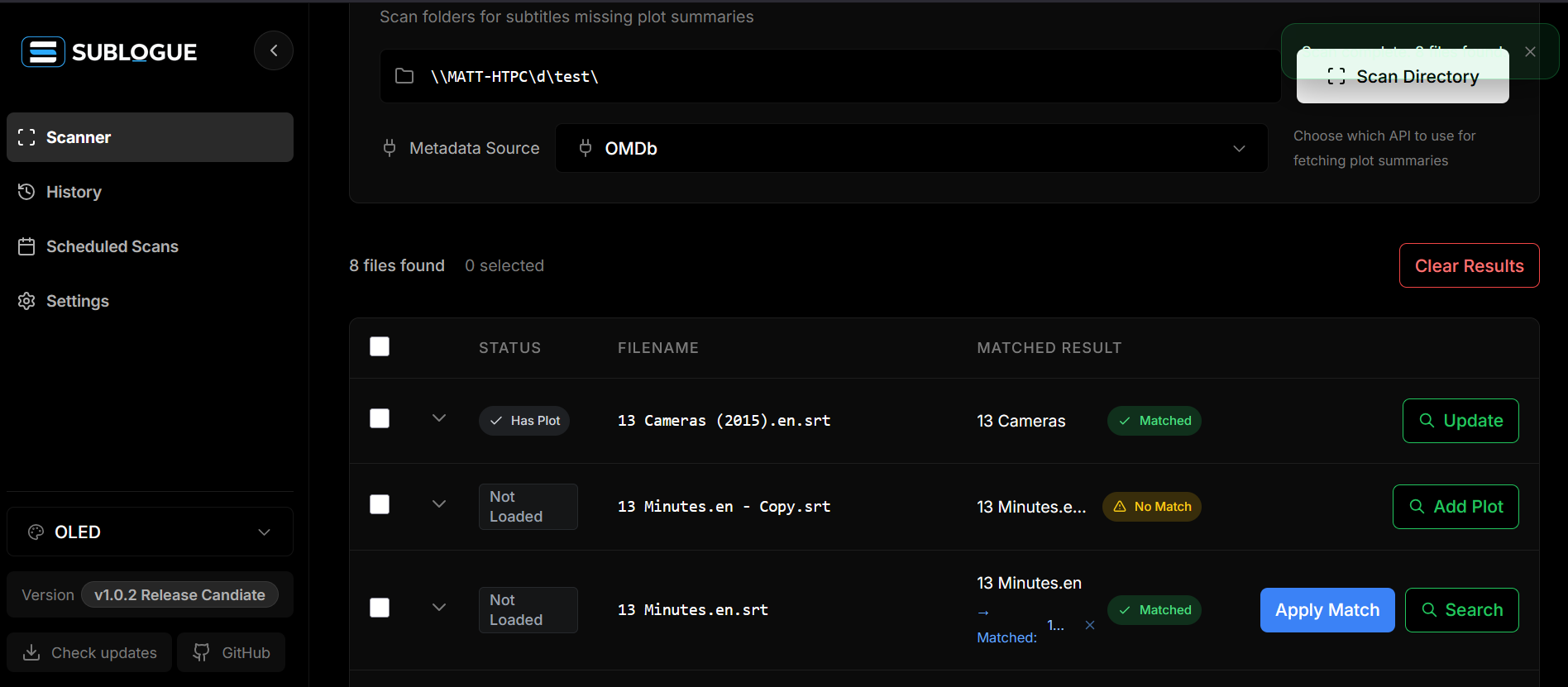
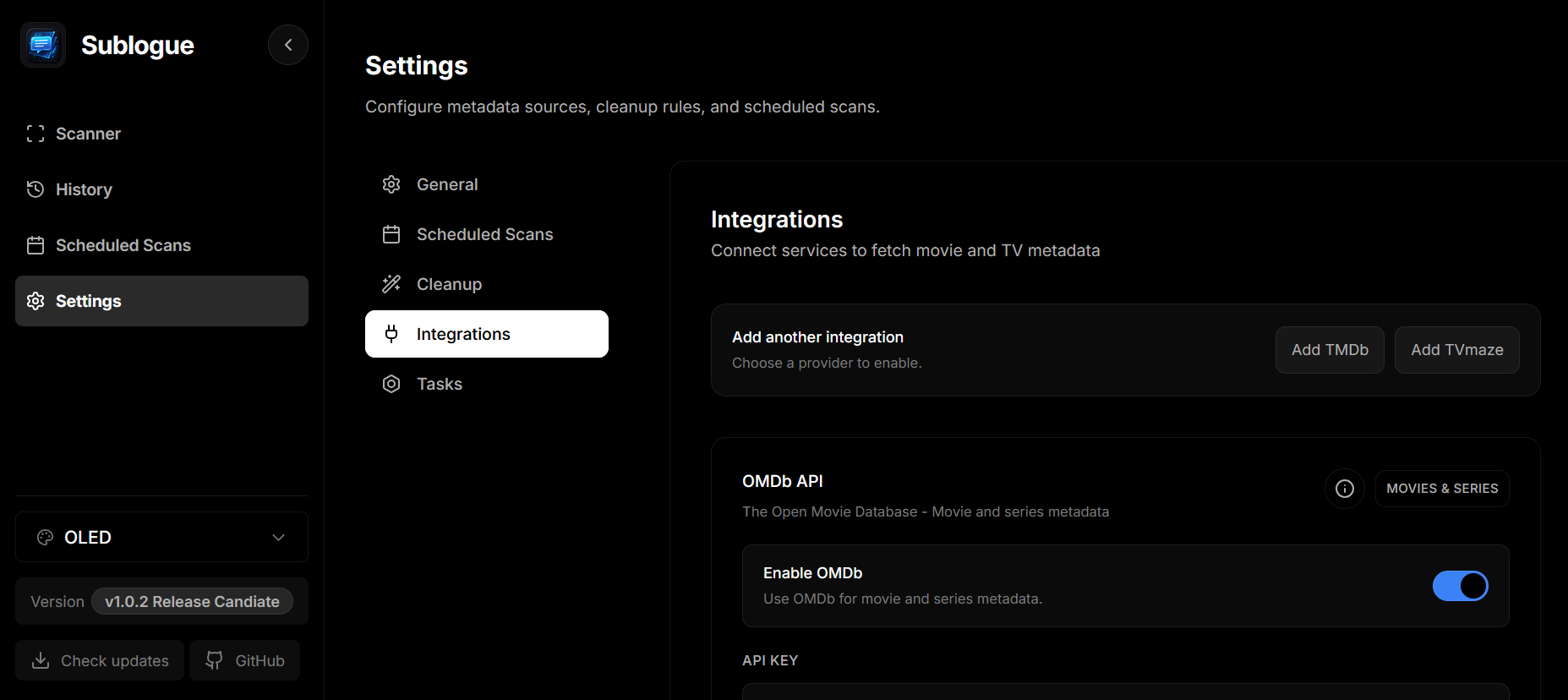
The interface is designed for fast scans and quick metadata validation. These screenshots show the scan results and settings panels.
Getting started
Sublogue runs as a single container. Map /config for settings and /media for subtitles, then open the web UI at http://localhost:5000.
Docker Compose
Create data/ and media/ folders next to your compose file.
version: "3.9"
services:
  sublogue:
    image: ghcr.io/ponzischeme89/sublogue:latest
    container_name: sublogue
    restart: unless-stopped
    environment:
      - TZ=Pacific/Auckland
    volumes:
      - ./data:/config
      - ./media:/media
    ports:
      - "5000:5000"
Unraid
Use the bundled template and map host paths into /config and /media.
/mnt/user/appdata/sublogue -> /config
/mnt/user/appdata/sublogue/media -> /media
Komodo
Create a new stack and attach your external network.
version: "3.9"
services:
  sublogue:
    image: ghcr.io/ponzischeme89/sublogue:latest
    container_name: sublogue
    ports:
      - "5000:5000"
    environment:
      - TZ=Etc/UTC
      - PUID=1000
      - PGID=1000
    volumes:
      - /volume1/Docker/sublogue/data:/config
      - /volume1/Media:/media
    restart: unless-stopped
    networks:
      - npm_network
networks:
  npm_network:
    external: true
Limitations
- API limits vary per provider and can throttle large scans.
- Metadata gaps appear when providers do not have a title or plot.
- Only TMDb supports localization. OMDb and TVmaze are English-first.
- Long plots are inserted as-is. TVs may split them across screens.
- Only .srt files are supported.
- Reprocessing a file can insert multiple plot blocks.
Roadmap
- More UI themes and high contrast variants
- Poster and backdrop previews in results
- Duplicate plot detection and auto-avoidance
- Automatic backoff and retry logic
- Short plot mode for long summaries
- Expanded localization for plots and cast
- Subtitle format support beyond SRT
- Optional local cache for metadata lookups
Support
If Sublogue helps your library, consider starring the repo or sharing it with someone who cares about clean subtitles. Bug reports and feature requests are welcome.